SuperPicky 将评分写入照片的 EXIF/XMP 元数据中。如果照片已经导入 Lightroom,需要手动同步元数据: SuperPicky writes ratings to photo EXIF/XMP metadata. If photos are already imported in Lightroom, you need to manually sync metadata:
SuperPicky 使用英文颜色名称(如 "Green"、"Red")写入标签。如果您的 Lightroom 使用不同的颜色标签集设置,标签可能无法正确显示。 SuperPicky uses English color names (e.g., "Green", "Red") for labels. If your Lightroom uses a different color label set, labels may not display correctly.
精选旗标写入 XMP:Pick 字段。与评分一样,需要从文件读取元数据才能在 Lightroom 中显示: Pick flags are written to the XMP:Pick field. Like ratings, you need to read metadata from files to display them in Lightroom:
0 星照片会被标记为排除旗标(XMP:Pick = -1)。同样需要从文件读取元数据: 0-star photos are marked with a reject flag (XMP:Pick = -1). You also need to read metadata from files:
SuperPicky 将锐度和美学评分写入 XMP 的地理位置字段,可以在 Lightroom 中直接排序: SuperPicky writes sharpness and aesthetics scores to XMP location fields, which can be sorted directly in Lightroom:
SuperPicky 提供完整的重置功能,可以恢复文件位置和清除元数据: SuperPicky provides a complete reset function to restore file locations and clear metadata:
V4.0.0 是一个重大更新,增加了多项强大功能: V4.0.0 is a major update with powerful new features:
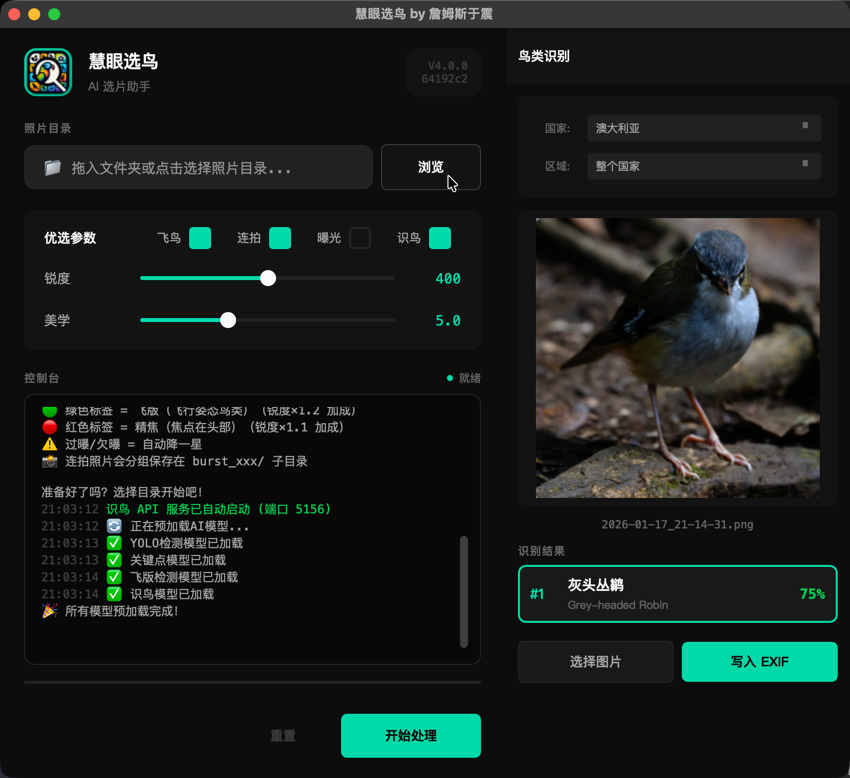
V4.0.0 安装时会自动部署 Lightroom Classic 插件。如果需要手动添加: V4.0.0 installer automatically deploys the Lightroom Classic plugin. To add manually:
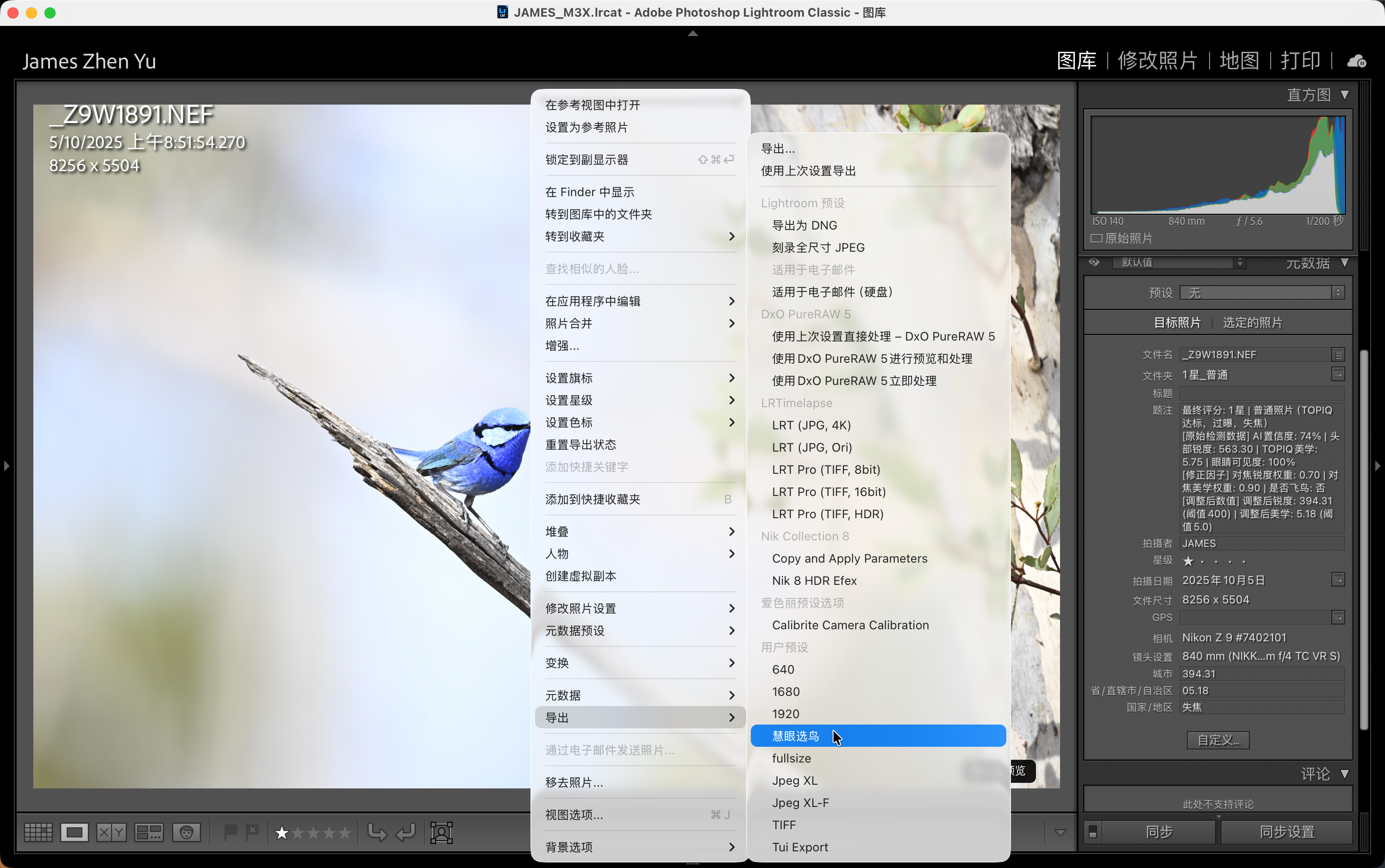
~/Library/Application Support/Adobe/Lightroom/Modules/SuperBirdID.lrplugin
Click "Add", navigate to
~/Library/Application Support/Adobe/Lightroom/Modules/SuperBirdID.lrplugin
V4.0.0 提供完整的命令行工具,支持所有核心功能: V4.0.0 provides a full-featured CLI supporting all core functions:
                                    # 处理照片目录

                                    python superpicky_cli.py process ~/Photos/Birds


                                    # 自定义阈值处理

                                    python superpicky_cli.py process ~/Photos/Birds -s 600 -n 5.2


                                    # 处理时自动识别鸟种

                                    python superpicky_cli.py process ~/Photos/Birds --auto-identify


                                    # 重置目录

                                    python superpicky_cli.py reset ~/Photos/Birds


                                    # 重新评星

                                    python superpicky_cli.py restar ~/Photos/Birds -s 700 -n 5.5


                                    # 识别单张照片的鸟类

                                    python superpicky_cli.py identify ~/Photos/bird.jpg


                                    # 识别并写入EXIF

                                    python superpicky_cli.py identify bird.NEF --write-exif
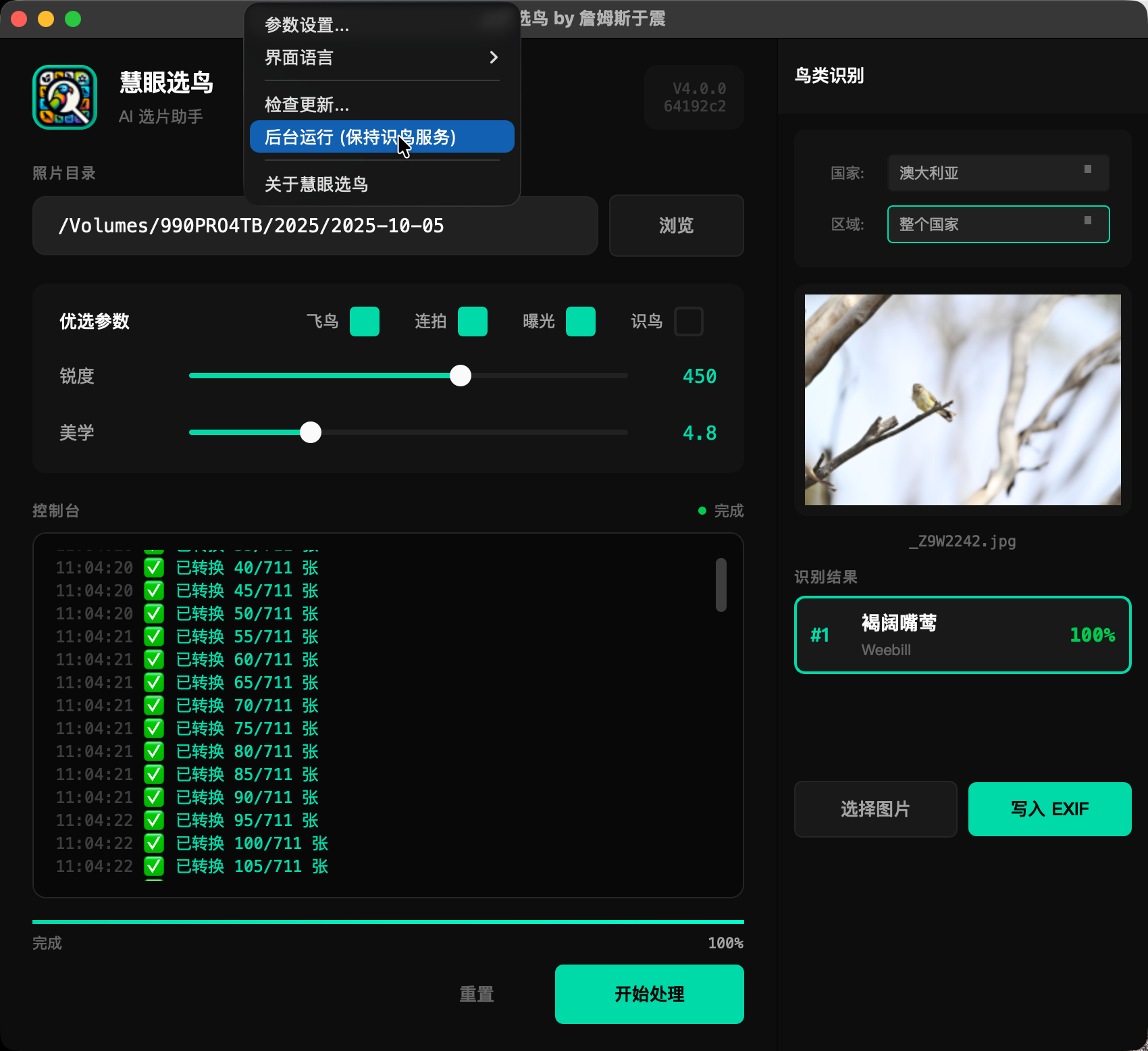
V4.0.0 新增系统托盘功能,支持后台运行: V4.0.0 adds system tray support for background mode:
启用鸟种识别后,照片可按识别的鸟种自动分类到子目录: With bird ID enabled, photos can be auto-organized into species subdirectories:

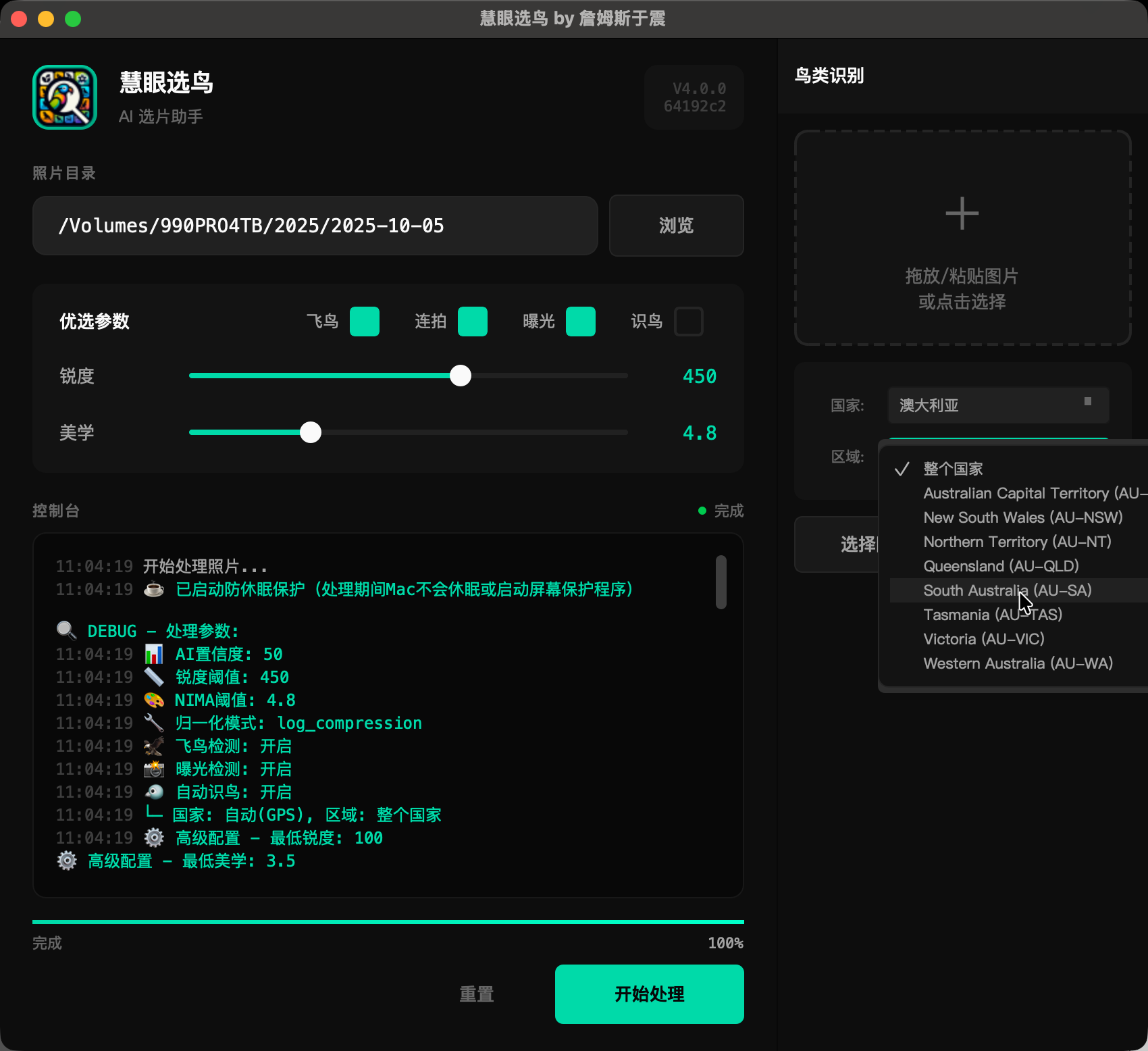
eBird 是全球最大的鸟类观测数据库。SuperPicky 利用 eBird 数据过滤该地区不可能出现的鸟种: eBird is the world's largest bird observation database. SuperPicky uses eBird data to filter impossible species:
SuperPicky 的评分和元数据功能与 Adobe Bridge 和 Photoshop 完全兼容: SuperPicky's rating and metadata features are fully compatible with Adobe Bridge and Photoshop:
V4.0.0 新增了 AI 鸟种识别功能,首次运行需要加载多个 AI 模型: V4.0.0 adds AI bird identification, which requires loading multiple AI models on first launch:
以下方法可以显著提高识别准确率: These methods can significantly improve identification accuracy:
鸟种识别结果会写入以下 IPTC/XMP 元数据字段: Bird identification results are written to these IPTC/XMP metadata fields:
是的!V4.0.0 现已推出 Windows 测试版 (Beta),支持绝大多数新功能: Yes! V4.0.0 works on Windows (Beta) and supports most new features: